Ever missed an email? Forgotten it? Or forgotten to reply altogether?Those days are over. EmailOwl reads your inbox and hands it back as a task list.BETA
EmailOwl reads your inboxes a few times a day and gives you a task board instead: the few emails that need you, each with AI help to draft your reply when you’re ready to answer, deadlines pulled out, everything else parked and tracked. It runs under your own Claude account or your own Anthropic API key — never a shared one — across Gmail, Google Workspace, Microsoft 365 and Outlook.com, work and personal together. Link your family and it reads the school and club emails too, so you know what your child needs before the event.
Stop checking your email. Check EmailOwl.
It reads the inbox so you don’t have to, and tells you what actually needs doing today. The tail has stopped wagging the dog. Here is the app.
Two good calls in.
Here’s the easy third.
You’ve got an iPhone, you run Claude, and you’ve got at least one Gmail, Outlook or Microsoft 365 inbox — work or personal, or forwarded in from anywhere else. That’s the whole guest list — and you’re already on it. EmailOwl launches mobile first on iPhone, with the full macOS app or a companion Windows app at the desk. So carry on: you’re in exactly the right place, and about to change how your whole week feels.
// Other accounts too? Forward them into your Gmail or Outlook — EmailOwl triages them and helps everyone move across to your main inbox.
The inbox never stops. Neither does the worry.
Email is where work lands, decisions get made, and things quietly fall through. Keeping up shouldn’t cost you hours — or your privacy.
The pile never stops
Hundreds in every day, across every account. The low-grade dread of “what have I missed?” never quite switches off.
The important thing, buried
The deadline, the payment, the one client who matters — three screens down, behind the newsletters. You find out too late.
Too many inboxes
Work mail, personal mail, the old address you can’t quite kill — each its own pile. Staying on top of them means tab-hopping all week.
The privacy trade-off
Most AI assistants want a copy of your whole inbox sitting on their servers. For confidential mail, that’s a non-starter.
Your inbox, on autopilot — the round trip
Connect once and let it run. Your accounts are read on a schedule, Claude triages every mailbox through its email connection, and your task board updates on your device.
It runs without you.
Connected is triggered by your Claude account’s own Routines — they fire the triage a few times a day on the plan you already pay for. There’s no better routine than your Claude Routine.
Private runs in your own Anthropic account, called from your device with your own key — in the foreground, and in the background on a schedule your phone grants. That is the trade: only a device holding your key can start a run, so nothing starts it but your device. Force‑quit the app and it waits for you.
And because the run happens in your Claude account, it is a conversation you can carry on. Open the run that surfaced a task and ask it why, or what the email said, or to draft the reply — it still has your mailbox connected. Tell it something it had no way of knowing and it will update your board there and then. Most assistants hand you a list and stop. This one is still on the other end of it.
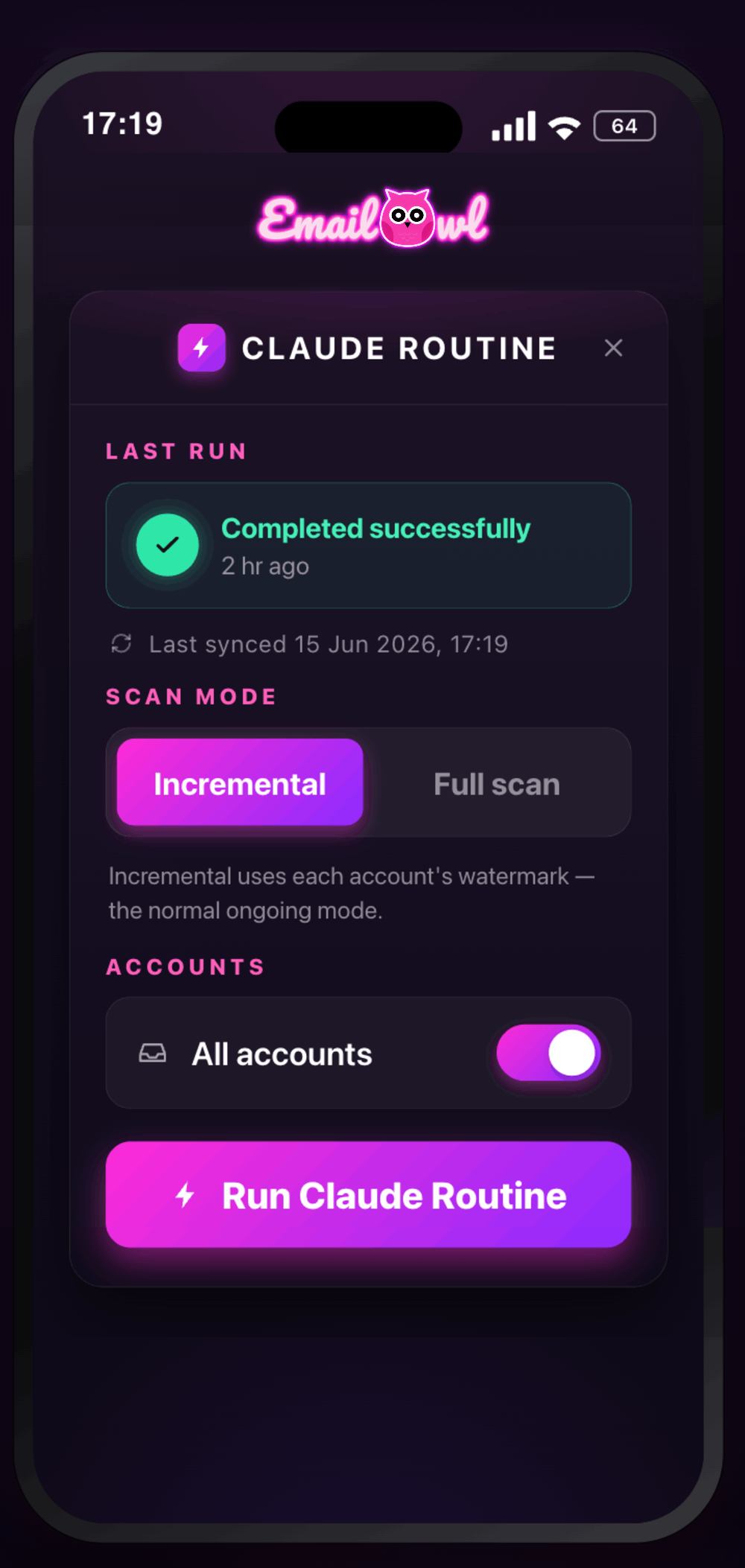
Connected asks for a one-off setup inside your Claude account — connectors first, then the routine. Here is exactly what that involves → Either way you can hit Run Routine yourself and watch it work. Want it running with the app closed? That’s Connected.
A memory that works like yours.
Every app has an archive you can dig through. This one digs for you. What your mail stops mentioning drifts to the back of EmailOwl’s mind; the moment it comes up again, it is back at the front — automatically, no hands needed. Nothing is deleted to make room, and nothing stale is carried.
It comes back on its own
A client goes quiet for six months, then writes. EmailOwl does not ask you to find the file: the facts, the terms and the people are back in memory the moment that email is read. The archive is dynamic — it refills itself from what your mail is doing today.
Nothing is deleted to make room
A read of your mail can only carry so much. What nothing has used lately is archived — kept, still listed, and back without you lifting a finger. Bring back is there if you want to be first.
Locked goes first
Lock an entry and it is first in line for a place, every time. Lock more than fits and every lock is still in memory; nothing unlocked gets in until you unlock some.
A whole project, archived in one go
When a project is finished, archive it: the facts, terms and people tied to it step out of the way together, and come back the day you reopen it. Planned
It knows there’s a Year 5 in the house.
Link the school and the clubs once, and every email about your children is read against who they actually are. You don’t get a folder of newsletters. You get what you have to do, and when — in time to actually do it.
One set of family rules
Your children, their years, their clubs and what you care about — entered once by either parent.
Triaged against your child
A Year 5 trip letter, a kit list, a fixture moved to 4:15. It knows which child, and what it means for your Thursday.
Linked by a QR code
The second parent scans a code and gets the same prepared items — so nobody assumes the other one saw it.
On another email system? Just forward it in.
Three connect directly: Gmail and Google Workspace, Microsoft 365, and personal Outlook.com / Hotmail. Anything else — a hosted company mailbox, Yahoo, iCloud, AOL, BT or an old provider — you forward in and add as an alias, and EmailOwl treats it as its own mailbox.
Bring your old email with you — then leave it behind.
Stuck on an old address everyone still uses? Forward it in and EmailOwl triages it as its own identity, clearly labelled, alongside everything else.
Business and personal. One calm view.
Three connect directly: Gmail and Google Workspace, Microsoft 365, and personal Outlook.com / Hotmail / Live — work accounts and personal ones side by side. Everything else you forward into one of those and add as an alias, so it’s triaged too. EmailOwl reads them together and shows you one picture of your day, with every item labelled with the address it actually arrived at.
Mix as many as you like — a work 365 account, two personal Hotmails and an old Yahoo forwarded in is a normal setup. More direct connections coming.
We never store your emails. Here’s what we do store.
Triage means an AI model reads your email — that’s the job. What you choose is whose account it goes through.
Connected — through your Claude account
Triage runs as a Routine inside the Claude account you already have, under the plan and terms you already accepted.
Private — through your own API key
The app calls the Anthropic API directly from your device with a key you create, own and can revoke.
Both — your emails are never stored
No bodies, no attachments. What we keep is the board built from them, held in the EU and encrypted in transit — not end-to-end, and we say so rather than claiming we couldn’t look.
And the mailboxes it is not for.
We’d rather you read this here than find it out later.
Not for a privileged or regulated mailbox
Legal privilege, clinical records, anything under a regulator’s rules — don’t connect it.
The board is a working view, not the record
Your mailbox is the record of truth. Use the board to decide what to open next.
Sending stays in your hands
EmailOwl drafts; you send. Nothing is deleted, archived or moved for you.
What plan do I need — and what will it cost me?
Two simple plans, priced honestly with the AI included. Answer two quick questions and we’ll point you to the right one.
Be first through the door.
Launching mobile first on iPhone, with a companion Windows app or the full macOS app at the desk. Drop your email and we’ll tell you the moment the beta opens.
Plans, keys & privacy — answered
The five people ask first. There are another forty answers — grouped and searchable — on the support page.
Private is £9.99 a month or £99.99 a year, plus your own AI key — typically £2–8 a month — so about £12–18 all-in with unlimited triage. Connected is £4.99 a month or £49.99 a year on top of the Claude plan you already pay for.
Only for Connected, which runs triage inside the Claude plan you already have — no Anthropic charge for triage. Private needs no Claude plan; it uses your own Anthropic key. Drafting works the same on both: Quick Replies need no key and cost nothing extra, and Anthropic drafts are billed to your own key. Either way, the subscription you pay us for is EmailOwl.
Triage means an AI reads your email — that is the job, so here is exactly who. In Connected, it runs as a Routine inside your own Claude account, under the plan and terms you already accepted. In Private, the app calls the Anthropic API directly from your device with your own key. We never store your emails. What we do store is the board built from them — each task’s subject line, who it came from and a one-line summary — plus what it has learned about your people and projects, so it syncs across your devices. It is held in the EU and encrypted in transit, but it is not end-to-end encrypted, so we will not pretend we could not look. We do not look: an EmailOwl engineer sees your board or memory only if you allow it in the app for a support issue, and never your email. The privacy policy says exactly what is kept and for how long.
Connectors in your Claude account first, then the routine prompt in Claude Code Desktop, then two values pasted back into EmailOwl. It is a genuine setup across two applications and usually two devices, done once. The full walkthrough is at emailowl.app/setup, including the order — which matters more than anything else.
A filter moves a message into a folder and stops there. EmailOwl reads it, decides whether it actually needs you, writes the task and drafts the reply — and it judges against what it knows about your people and projects, so the same sender can be urgent on one thread and ignorable on the next. Rules you write and edit yourself are part of the memory work still to come; the judgement is there today.

Know what needs you.
Before it piles up.
Download EmailOwl, connect your accounts, and wake up to a sorted inbox — with AI help to draft each reply. Run it Connected, or go Private and run it on your own key.